Swift隨手紀錄Day12-新首頁
紀錄的選項告一段落之後 接下來當然要讓使用者可以輸入(或從其他地方下載)被紀錄人員的相關資訊 因此應該需要一個讓使用者新增或修改球隊人員的頁面 甚至加上可以儲存成一支(或以上)隊伍的人員資料 為此就需要一個首頁 把首頁作為起點可以進行人員(球隊)的新增 跟接上之前所做好的紀錄畫面的地方
紀錄的選項告一段落之後
接下來當然要讓使用者可以輸入(或從其他地方下載)被紀錄人員的相關資訊
因此應該需要一個讓使用者新增或修改球隊人員的頁面
甚至加上可以儲存成一支(或以上)隊伍的人員資料
為此就需要一個首頁
把首頁作為起點可以進行人員(球隊)的新增
跟接上之前所做好的紀錄畫面的地方
今天應該要讓畫面長這樣
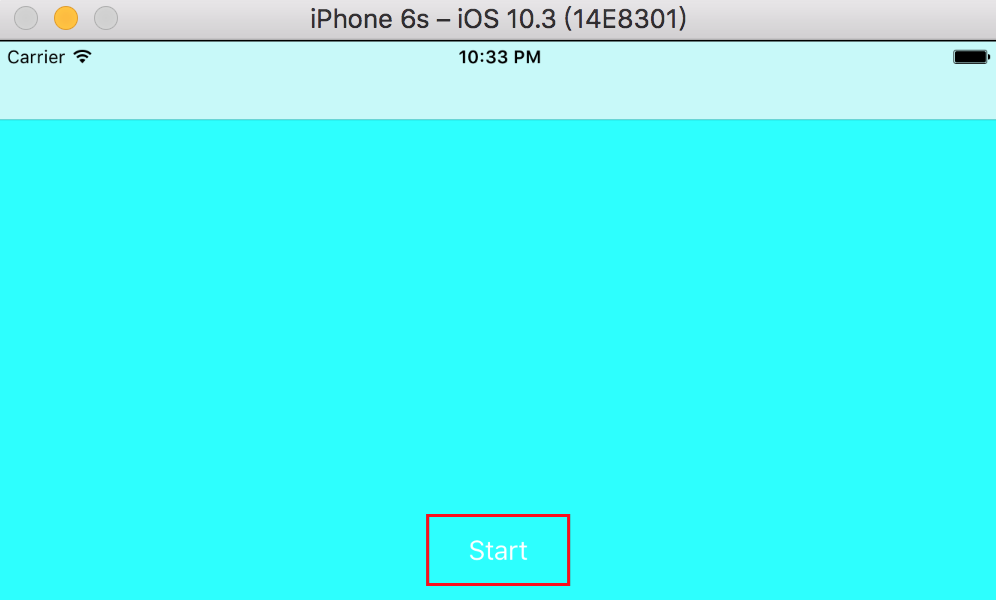
一樣帶有navigationbar的UIViewController
畫面中下位置有個Start的按鈕接到之前做的紀錄畫面
首先先在Controller內新增一個HomeController.swift
內容如下
import

class
HomeController
UIViewController

    let
UIButton
=
        let
=
UIButton
        button.translatesAutoresizingMaskIntoConstraints =
false
        button.setTitle("Start"
        button.layer.borderColor =
UIColor
        button.layer.borderWidth =
2
        button.addTarget(self
#selector
        return
    }()

    override
func
viewDidLoad
        super

        view.backgroundColor =
        view.addSubview(startButton)

        startButton.bottomAnchor.constraint(equalTo: view.bottomAnchor, constant: -
12
=
true
        startButton.centerXAnchor.constraint(equalTo: view.centerXAnchor).isActive =
true
        startButton.heightAnchor.constraint(equalToConstant: 48
=
true
        startButton.widthAnchor.constraint(equalToConstant: 96
=
true
    }

    func
toRecordController
        let
=
RecordController
UICollectionViewFlowLayout
        present(UINavigationController
true
nil
    }

}
5到13行實作轉移畫面用的button,並在viewDidLoad裡面新增子畫面跟設定anchor來定位
最後的function則設定點擊後轉移的動作,我們先將畫面轉移到RecordController
接下來修改AppDelegate.swift內程式開啟時送出的window
func
application
_
application
UIApplication
didFinishLaunchingWithOptions
launchOptions
UIApplicationLaunchOptionsKey
Any
?
Bool

    window =
UIWindow
UIScreen
    window?
    window?
=
UINavigationController
HomeController

    return
true
}
執行一下看看結果
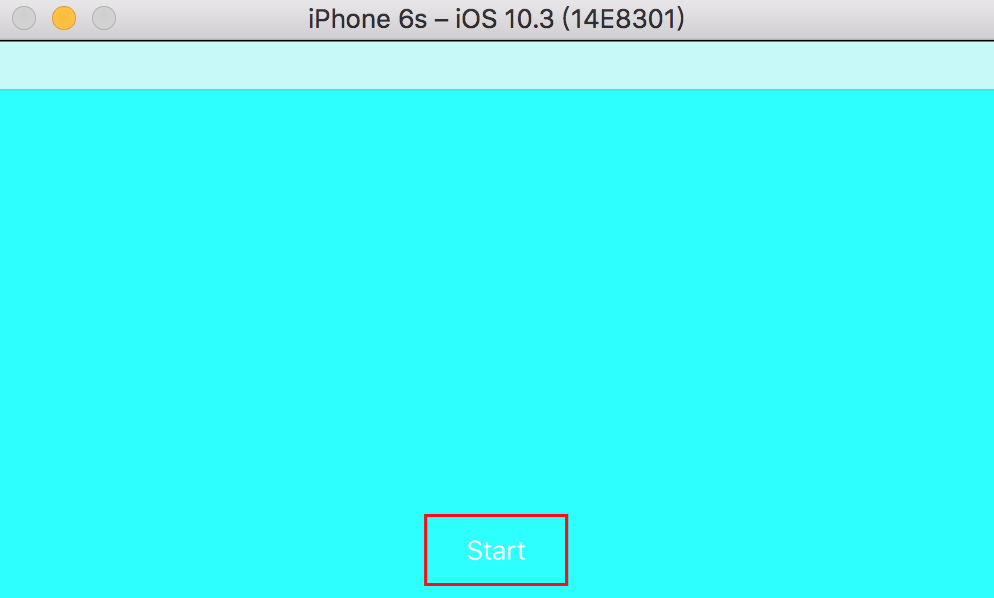
等等,好像哪裡怪怪的…
navigationController的size好像怪怪的???
所以我說那個statusBar跑去哪了???
沒事~先喝杯珍奶壓壓驚( ̄ c ̄)y▂ξ
一直覺得除了看影片之外還是看得到statusBar比較好@@
畢竟一場球也得打個兩個多小時,邊紀錄還要一直出去看時間多麻煩啊
回到HomeController在viewDidLoad裡面加上這一行來執行一下
print
"LandScape StatusBarHidden default value is \(prefersStatusBarHidden)
結果長這樣
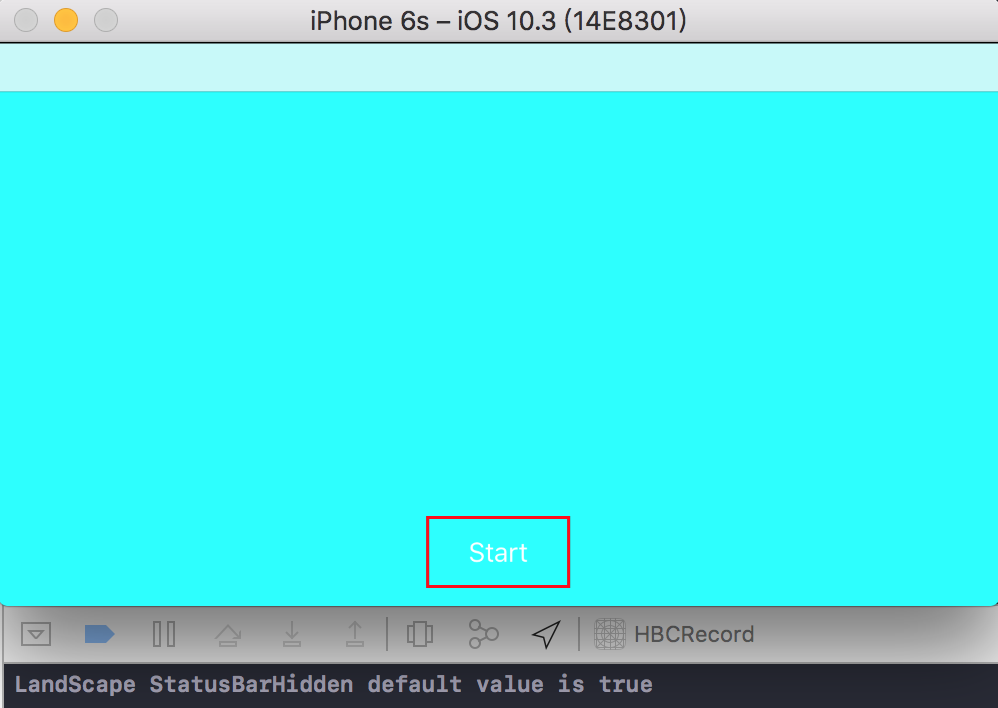
查了才知道原來蘋果把畫面橫躺之後的statusBarHidden預設為true
那只要把它改成false就好了對吧
歹誌爪隊摀戲憨人想Aㄏㄧㄚˋ尼甘單???
prefersStatusBarHidden給他option+左鍵按下去跳出來這東西
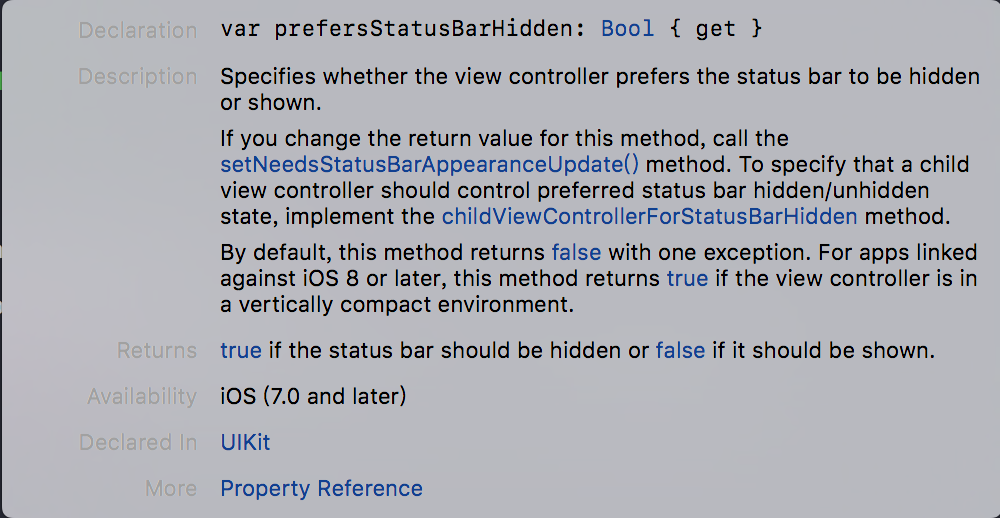
在垂直被壓縮的情況下iOS8以上預設就是藏起來
而且還是{ get },read-only的變數
不能直接用,只能把它整個覆寫掉了
在viewDidLoad之前覆寫掉再執行看看
override
var
Bool
    return
false
}
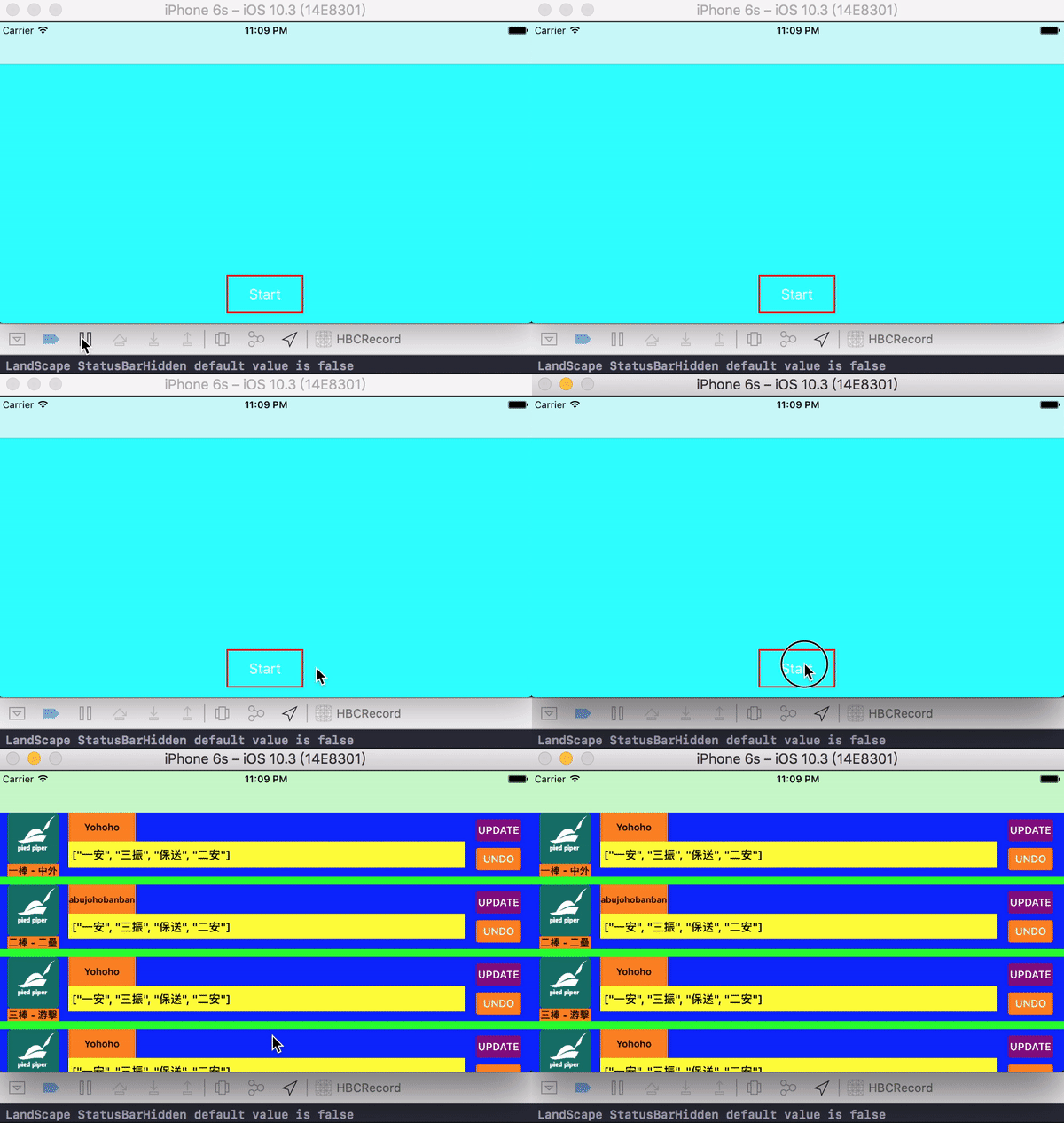
這樣看來就一切正常了
最後這裡有在RecordCell.swift跟RecordController.swift做一點修改
新增球員名稱的欄位以及調整一下UI的位置
新增以及修改內容如下
let
UILabel
=
    let
=
UILabel
    label.translatesAutoresizingMaskIntoConstraints =
false
    label.backgroundColor =
    label.font =
UIFont
12
    label.textAlignment =
    label.adjustsFontSizeToFitWidth =
true
    label.text =
"Yohoho"
    return
}()

 func
setupView
    backgroundColor =
    addSubview(profileImage)
    addSubview(recordText)
    addSubview(sentButton)
    addSubview(undoButton)
    addSubview(orderLabel)
    addSubview(nameLabel)

    profileImage.topAnchor.constraint(equalTo: self
=
true
    profileImage.leftAnchor.constraint(equalTo: self
12
=
true
    profileImage.heightAnchor.constraint(equalToConstant: 64
=
true
    profileImage.widthAnchor.constraint(equalToConstant: 64
=
true

    sentButton.centerYAnchor.constraint(equalTo: self
-
18
=
true
    sentButton.rightAnchor.constraint(equalTo: self
-
12
=
true
    sentButton.widthAnchor.constraint(equalToConstant: 60
=
true
    sentButton.heightAnchor.constraint(equalToConstant: 32
=
true

    undoButton.centerYAnchor.constraint(equalTo: self
18
=
true
    undoButton.rightAnchor.constraint(equalTo: self
-
12
=
true
    undoButton.widthAnchor.constraint(equalToConstant: 60
=
true
    undoButton.heightAnchor.constraint(equalToConstant: 32
=
true

    recordText.leftAnchor.constraint(equalTo: profileImage.rightAnchor, constant: 12
=
true
    recordText.rightAnchor.constraint(equalTo: sentButton.leftAnchor, constant: -
12
=
true
    recordText.centerYAnchor.constraint(equalTo: self
12
=
true
    recordText.heightAnchor.constraint(equalToConstant: 32
=
true

    orderLabel.topAnchor.constraint(equalTo: profileImage.bottomAnchor).isActive =
true
    orderLabel.bottomAnchor.constraint(equalTo: self
=
true
    orderLabel.leftAnchor.constraint(equalTo: profileImage.leftAnchor).isActive =
true
    orderLabel.rightAnchor.constraint(equalTo: profileImage.rightAnchor).isActive =
true

    nameLabel.topAnchor.constraint(equalTo: self
=
true
    nameLabel.leftAnchor.constraint(equalTo: recordText.leftAnchor).isActive =
true
    nameLabel.bottomAnchor.constraint(equalTo: recordText.topAnchor).isActive =
true
    nameLabel.widthAnchor.constraint(equalToConstant: 84
=
true
}
RecordCell.swift新增lable跟調整UI
override
func
collectionView
_
collectionView
UICollectionView
cellForItemAt
indexPath
IndexPath
UICollectionViewCell
    let
=
as?
RecordCell
    let
=
    cell?
=
    cell?
=
    cell?
=
    cell?
self
#selector
    cell?
self
#selector
    cell?
=
    cell?
=
    cell?
=
+
" - "
+
    cell?
=
String
    return
!
}
RecordController則將資料在生成cell時放入label
晚點再來做新增球隊與製作紀錄